
GO Launcher -Themes&Wallpapers
go live llcPersonalization
4.3518.75K Reviews
- Version
- 3.42
- Installs
- 100.00M
- Age Rating
- Everyone
Screenshots
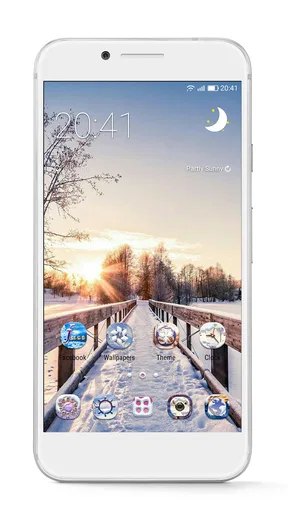
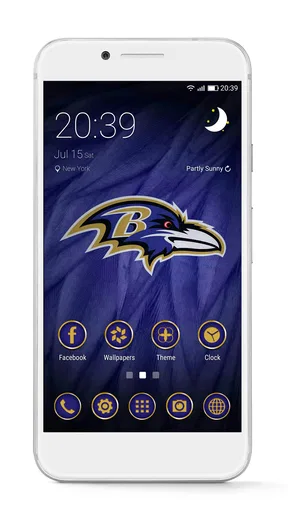
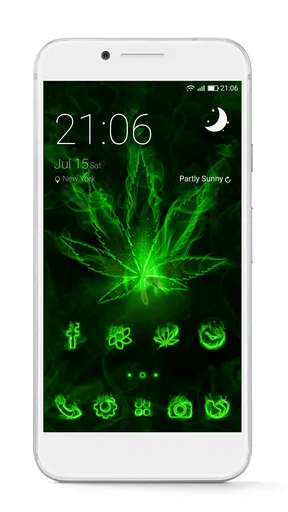
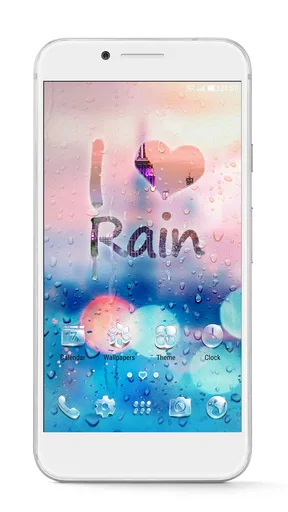
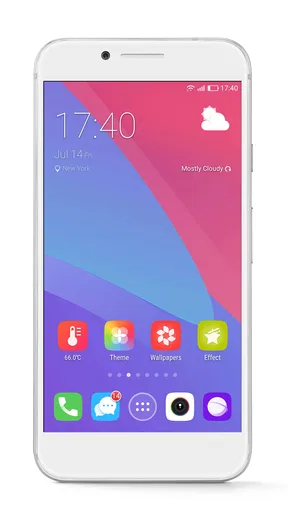
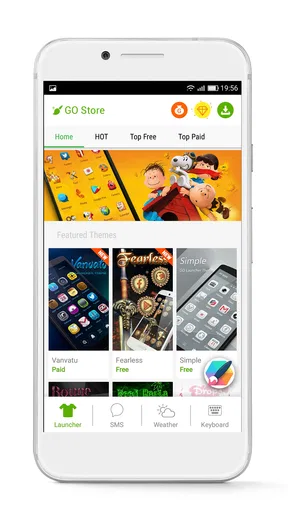
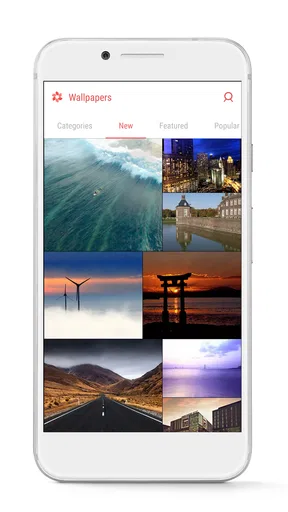
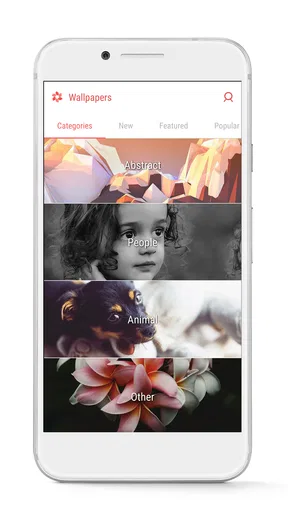
Our Review of GO Launcher -Themes&Wallpapers
 Analysis by Appyee
Sharing a phone at home can make its familiar home screen feel like everyone’s rather than anyone’s. I like the idea of using a launcher to give a device a more personal look without changing the apps people rely on. GO Launcher -Themes&Wallpapers is a personalization app from go live llc, built around changing the appearance of a phone with themes, wallpapers, icons, and widgets. In a household where people take turns using one device, those visual choices can make the screen feel more welcoming, though they work best when everyone agrees on how much to change.
A shared screen needs a little coordination
On a shared device, a dramatic theme can be fun for one person and distracting for another. I’d start with a wallpaper or a modest icon refresh, then let regular users try the home screen before making a bigger change. That approach keeps the phone recognizable and makes it easier for someone who depends on familiar app positions to get around.
A practical routine is to agree on a simple layout first: keep frequently used apps easy to spot, and treat decorative changes as optional. A launcher’s visual customization does not, by itself, create separate user profiles or account boundaries. If people need private accounts or distinct app access, those should be handled through the device’s own account and security options rather than assumed to come from a new theme.
That distinction matters when the phone is passed between adults and children. A cleaner-looking screen can reduce visual clutter, but it is not a substitute for supervision, device-level restrictions, or a conversation about what each person may access. I would avoid presenting a hidden or rearranged app as a privacy safeguard on a shared phone; someone else may still be able to find it through the device.
The First Impression
When you first open up GO Launcher -Themes&Wallpapers, you’re greeted with a sleek and user-friendly interface. It’s one of those apps where you don’t need a manual to figure things out. The app offers a variety of themes and wallpapers right off the bat, which is perfect for those of us who love to customize but don’t have all day to scroll through options. You can easily navigate through the categories, and trust me, there are plenty of them.
Customization Galore
What really sets this app apart is the sheer volume of customization options. We're talking thousands of themes and wallpapers, each more stunning than the last. Whether you’re into something minimalist or a bit more on the wild side, there’s something here for everyone. I spent a good chunk of my weekend just exploring all the possibilities, and I’m pretty sure I’ll be switching themes regularly—just because I can!
Not only do you get to change the look of your home screen, but you can also customize app icons and widgets. It’s like having a personal stylist for your phone, which is honestly kind of amazing. Plus, the app allows you to preview changes before you apply them, so no commitment issues here!
Picking a look that works day to day
For me, the best way to browse a large theme collection is to decide what I want the phone to feel like before I start scrolling. A subdued wallpaper and clear icons suit a device I use for appointments and messages; a bolder style makes more sense when I’m changing the phone for fun. Previewing before applying is useful here: I can check whether icons remain easy to recognize against the background instead of judging a theme by its thumbnail alone.
There is a trade-off to all that choice. Browsing can become its own activity, and a coordinated theme may not improve how quickly I find an app if it changes familiar icon designs too much. When I’m setting up a phone for another household member, I’d favor recognizable icons and a restrained background over a look that is visually impressive but makes everyday navigation less obvious.
Performance and Features
Now, I know what you’re thinking—doesn’t all this customization slow down your phone? Surprisingly, no! The app is lightweight and designed to optimize performance. I tested it on a couple of devices, and the experience was smooth across the board. There’s no lag, just a seamless transition from one theme to another.
Besides the aesthetic features, GO Launcher also packs some nifty tools. For instance, the app includes a smart folder feature that automatically categorizes your apps, making it easier to find what you’re looking for. There’s also a hide apps feature, which is a great way to keep your home screen clutter-free.
Keeping the layout useful on a shared phone
Smart folders can help when a home screen has accumulated a mix of school, work, and entertainment apps. I’d still take a moment to check how the automatic grouping affects the apps people use most; a tidy folder is only helpful if everyone can find its contents. For a shared device, it can be sensible to keep essential calling or messaging apps visible rather than relying on a newly organized folder that another user may not think to open.
The hide-apps option is best understood as a way to reduce visible clutter, not as a secure boundary between users. If the goal is simply to make the first screen calmer, it may help. If the goal is to keep a child away from particular content or protect another person’s account, I’d use the phone’s built-in controls and account protections instead. That is a more dependable distinction than expecting a launcher to manage household access.
How it fits beside simpler options
The usual alternative is to keep the phone’s standard launcher and change only its wallpaper, which is quicker and leaves the familiar layout mostly untouched. That is a better fit for someone who wants a small refresh or worries that a new interface will confuse other users. GO Launcher makes more sense when I want the screen’s overall appearance—not just its background—to feel different through themes, icons, and widgets.
There is also a middle ground: customize the wallpaper and a few icons, then stop there. I find that approach especially practical on a family device because it adds personality without making the interface feel like a completely different phone. People who enjoy rebuilding their home screen will get more from the broader customization; people who prefer a stable, manufacturer-provided layout may find the extra choice unnecessary.
Community and Updates
One of the coolest aspects of this app is the community-driven content. Users can submit their own designs, so there’s always something fresh and new to try out. The developers are also pretty active, regularly updating the app to fix bugs and add new features. It’s nice to see an app where the team is genuinely invested in improving user experience.
And let’s not forget about the regular updates. These aren’t just your run-of-the-mill bug fixes. The developers often introduce new themes and wallpapers, keeping the app relevant and exciting.
Practical expectations before installing
The app is free to download, with optional in-app purchases priced from around a dollar to about $110 per item. I’d browse with a clear idea of whether I’m looking for free customization or considering a paid item, especially if a child also uses the phone. On a shared device, it is worth agreeing who can approve purchases and checking the device’s purchase settings rather than assuming that a personalization app provides household spending controls.
It is rated for everyone, and its focus on visual customization makes it approachable for a broad range of users. Still, an everyone rating does not settle every family’s preferences about themes, browsing, or purchases. I’d let younger users choose from options while an adult handles account and payment settings, and I would keep expectations clear: changing a launcher’s appearance is not the same as creating a child-specific environment.
Who will enjoy it—and who may not
I’d recommend it to someone who regularly gets bored with the same home screen, likes coordinating wallpaper and icons, or wants to make an older-feeling layout more personal. It can also be a fun way for household members to agree on a shared visual style. The strongest use case is a person who enjoys experimenting and is willing to spend a little time checking that the finished screen stays practical.
I’d skip it if a phone’s default layout already works well, if several users depend on an unchanged arrangement, or if the main need is parental control, privacy separation, or a simpler interface. A standard launcher with a wallpaper change may be less disruptive in those cases. Before switching, I’d also note the current positions of important apps so I can restore a familiar arrangement if the new look proves inconvenient.
Final Thoughts
So, would I recommend GO Launcher -Themes&Wallpapers? Absolutely! If you’re someone who loves to personalize and make your phone truly your own, this app is a must-have. It’s easy to use, packed with features, and offers an endless supply of customization options. Plus, it doesn’t hurt that it makes your phone look absolutely stunning.
My recommendation comes with one condition: treat the launcher as a way to customize appearance and organization, not as a tool for managing who can use which account or app. Its average rating is around 4.3 from roughly 7 million ratings, and it has been installed over 100 million times. Those figures suggest broad interest, but the right choice still depends on whether you enjoy adjusting a home screen or would rather keep the default experience steady.
The app first appeared in January 2011, and version 3.42 requires Android 7.0 or later. If your household shares a compatible Android phone, I’d try a restrained setup first, confirm that essential apps remain easy for everyone to find, and only then explore more elaborate themes. For people who enjoy that hands-on process, it can make a familiar phone feel personal; for anyone who values consistency above appearance, the simpler default may be the better fit.
Ready to give your phone a fresh new look? You can download GO Launcher -Themes&Wallpapers for both Android and iOS. Trust me, once you start customizing, you'll wonder how you ever lived without it!
Verdict
Strengths of GO Launcher -Themes&Wallpapers
- Highly customizable interface options.
- Smooth and fast performance overall.
- Wide variety of themes available.
- User-friendly and intuitive design.
- Regular updates with new features.
Limitations of GO Launcher -Themes&Wallpapers
- Contains in-app advertisements.
- Some themes require payment.
- May slow older devices slightly.
- Occasional bugs in widget loading.
- Complex settings for new users.
Other Releases by go live llc
View All
GO Launcher S – 3D Theme, Wall
Personalization4.6
Similar Picks in This Category
View All
Microsoft SwiftKey AI Keyboard
SwiftKey4.3

Wallpapers
Google LLC4.1

Zedge™ Wallpapers & Ringtones
Zedge4.7

Yandex Browser with Alice AI
Direct Cursus Computer Systems Trading LLC4.3

Ringtone Maker:create ringtone
Big Bang Inc.4.7

Fonts Keyboard
Fonts Keyboard3.9
Frequently Asked Questions
What is GO Launcher - Themes & Wallpapers?
GO Launcher - Themes & Wallpapers is a customization app for Android devices that allows users to personalize their home screens with a wide selection of themes, wallpapers, and widgets. It offers a user-friendly experience with various features to enhance the visual appeal and functionality of your device.
How does GO Launcher impact device performance?
GO Launcher is designed to be lightweight, but like any launcher, it can affect device performance. Users may experience slower response times if their device has limited resources. However, many users find that the customization and features provided by GO Launcher are worth this potential trade-off.
Are there any hidden costs within GO Launcher?
While GO Launcher is free to download, it offers in-app purchases for premium themes, widgets, and other features. Users can enjoy a wide range of free options, but those looking for exclusive content and advanced features may need to make purchases within the app.
Is GO Launcher safe to use?
GO Launcher is generally considered safe to use. It is available on the Google Play Store, which means it has undergone Google's security checks. However, as with any app, users should be cautious about granting permissions and should regularly update the app to the latest version for security improvements.
Can I easily switch back to my default launcher?
Yes, switching back to your default launcher is straightforward. You can do this by accessing your device’s settings, navigating to the 'Home' section, and selecting your original launcher. This process is easy and does not affect your personal data or app settings.
